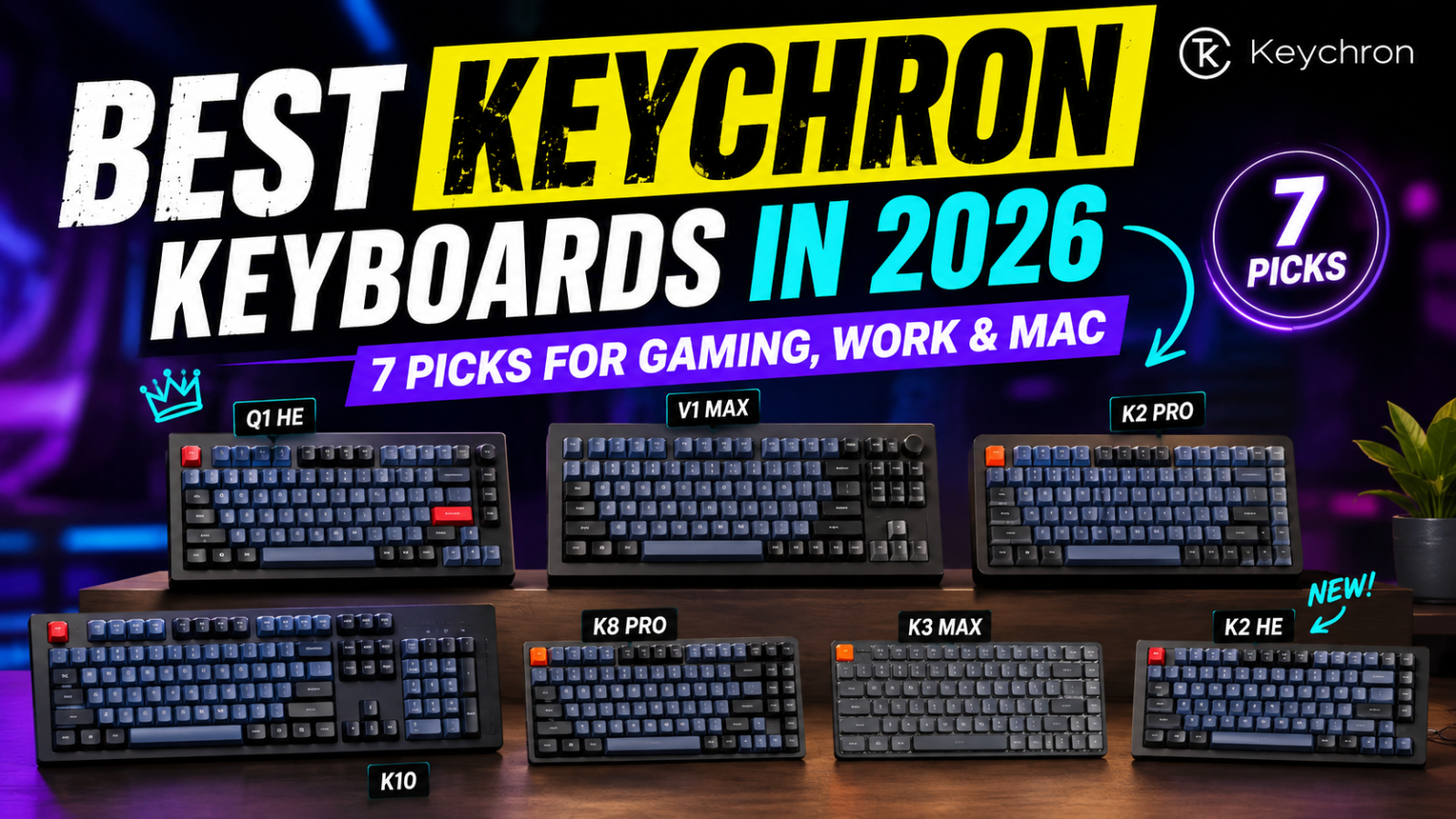
Keychron Review 2026: Are Keychron Keyboards Good?
.png)
Keychron has become one of the most recognizable names in mechanical keyboards, from affordable wireless boards to premium aluminum models and Hall Effect gaming keyboards. The range is appealing, but it can make the brand hard to judge at a glance.
Are Keychron keyboards actually good? For many buyers, yes — especially if you care about customization, Mac support, and layout choice. The trade-off is a less convenient direct-store return experience and mixed owner feedback around quality control and support. This review explains where Keychron stands out, where it falls short, and who should consider buying one.
|
Affiliate Disclosure: GoldifyReview may earn a commission from qualifying purchases at no extra cost to you. |
|
Quick Verdict Keychron is a strong choice if you want a customizable mechanical keyboard with broad Mac/Windows support and plenty of layouts. Best for: buyers who want customization and upgradeability. Main drawback: direct-store returns and support are less buyer-friendly. |
|
What is Keychron?
Keychron specializes in keyboards and mice and says its catalog includes more than 40 keyboard models.
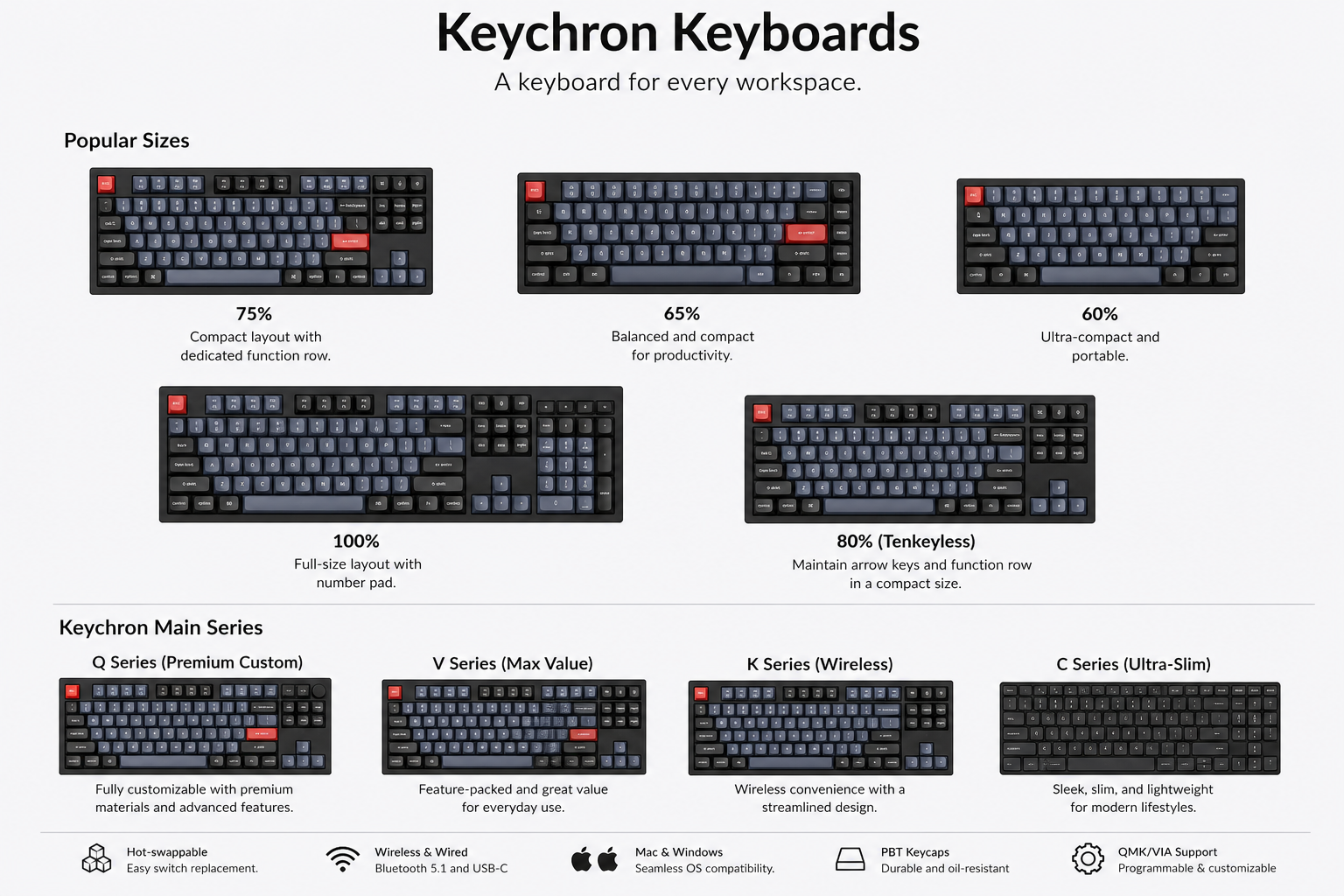
Its lineup now stretches well beyond the relatively simple wireless mechanical keyboards that helped establish the brand. Current families include premium Q models, value-focused V boards, K-series keyboards, low-profile options, Hall Effect models, and newer high-polling-rate variants.
You can also choose from compact 60% and 65% layouts, 75%, TKL, 96%, full-size, Alice-style, and other enthusiast-oriented designs. That variety is one of Keychron’s biggest advantages — and one reason first-time buyers can feel buried in model names.
What we like about Keychron
Lots of choice
Keychron does not force every buyer into the same keyboard design.
Someone looking for a straightforward wireless keyboard can shop very differently from someone building a premium full-metal setup. There are also low-profile models for people who dislike tall mechanical boards and Hall Effect options aimed more heavily at gaming.
Few keyboard brands cover this many layouts and configurations under one roof.
Strong customization options
Many Keychron keyboards are designed with customization in mind.
Depending on the model, that can include hot-swappable switches, programmable keys, interchangeable keycaps, QMK or ZMK firmware, and Keychron’s browser-based Launcher.
That makes the brand an approachable middle ground for beginners: you can buy a complete keyboard now without giving up the option to experiment later.
Excellent Mac support
Keychron has historically paid more attention to Mac users than many traditional gaming-keyboard brands.
Current models commonly support both macOS and Windows, with many providing system-specific layouts or keycaps. Keychron also lists Linux compatibility for its keyboards.
If you switch between a Mac and Windows PC, that cross-platform focus is a meaningful advantage.
Keychron is taking gaming more seriously
Keychron used to be easier to recommend for productivity and general mechanical-keyboard enthusiasts than for competitive gaming. That has changed considerably.
The company now sells magnetic Hall Effect models with adjustable actuation as well as newer keyboards offering polling rates up to 8,000 Hz. Those features make selected Keychron models much more competitive for gaming than the brand’s older Bluetooth-focused boards.
Just remember that performance varies by model. A Keychron logo alone does not automatically mean you are getting an 8K gaming keyboard.
Keychron pros and cons
|
✓ Pros • Huge selection of sizes and layouts • Good Mac and Windows support • Many hot-swappable models • Strong customization potential • Wireless, wired, low-profile, and full-metal options • Hall Effect and high-polling-rate gaming models available |
✕ Cons • Product lineup can be confusing for beginners • Direct-store return policy is relatively restrictive • Some warranty cases may involve replacing individual components • Recent owner reports include complaints about QC and support delays • Gaming and wireless performance vary significantly by model |
Which Keychron series should you buy?
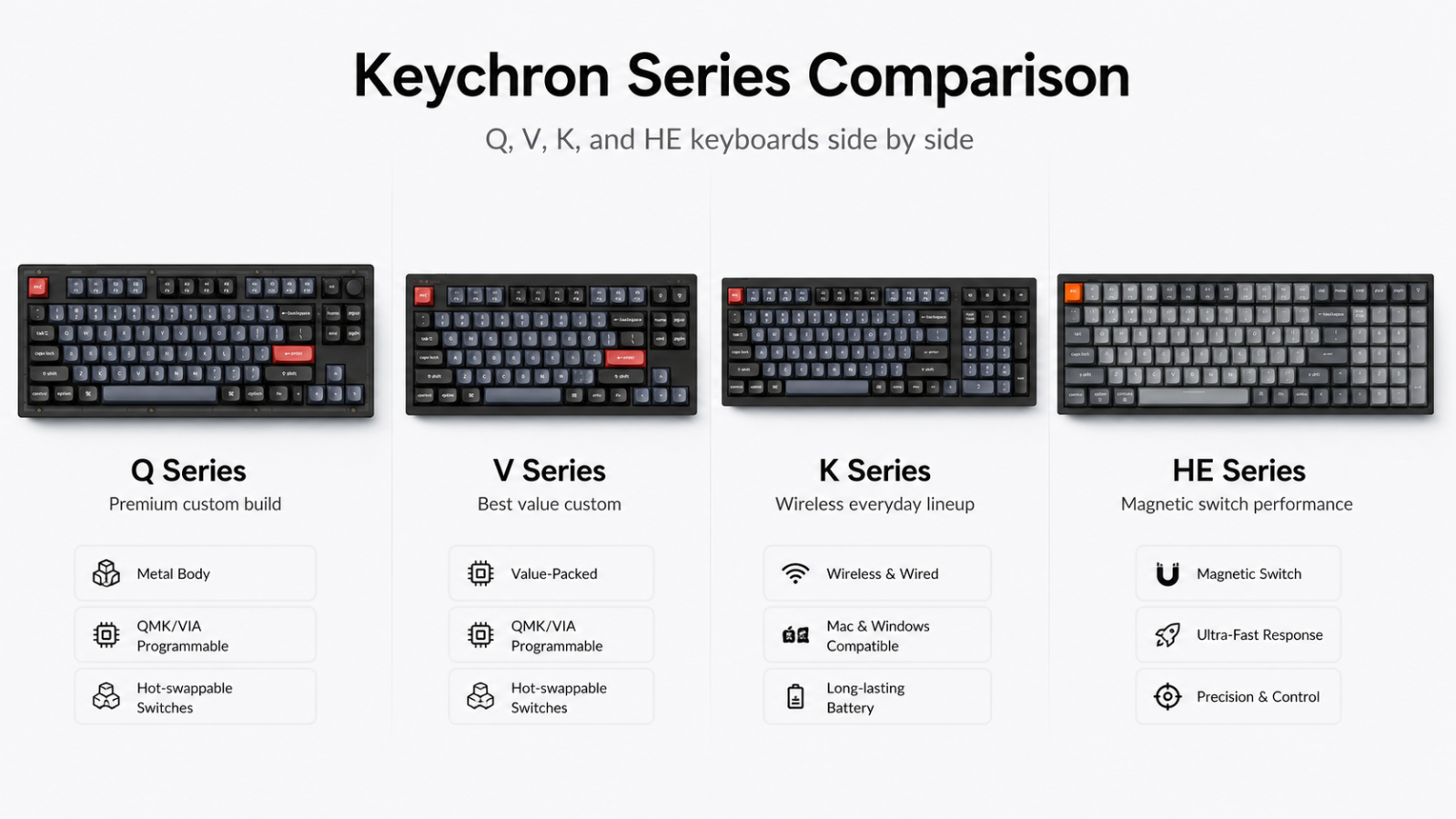
You do not need to memorize every letter in Keychron’s catalog. A simpler way to look at the lineup is:
Q Series: Start here if you want a more premium custom-keyboard experience, particularly full-metal construction.
V Series: A strong place to look if value matters more than premium case materials.
K Series: Worth exploring for general-purpose and wireless keyboards, especially if you want plenty of layout choices or low-profile options.
HE Series: Better suited to buyers specifically interested in magnetic switches, adjustable actuation, and gaming-oriented features.
There are additional families and newer Ultra/8K variants, but these four directions cover many common buyers. If the model names are starting to look like Wi-Fi passwords, that is a good sign you should narrow the list by use case instead of decoding every suffix.
Are Keychron keyboards good for gaming?
Some Keychron keyboards are now very good candidates for gaming, but you need to choose the model carefully.
Hall Effect models are the most obvious place to start if you want adjustable actuation and magnetic-switch features. Keychron also offers newer mechanical keyboards with higher polling rates designed to reduce input latency.
For casual gaming, many mainstream Keychron models should be reasonable choices. Competitive players should compare the latency, polling rate, switch technology, and wireless implementation of the specific keyboard rather than relying on the brand name alone.
Are Keychron keyboards good for work?
This may be where Keychron makes the most sense for the widest number of people.
Multiple layouts, wireless options, Mac support, programmable keys, and switch choices make it relatively easy to find a board suited to writing, programming, office work, or a home setup.
One practical consideration is height. Some normal-profile Keychron boards are fairly tall, so depending on your desk setup and typing preference, a wrist rest may be worth considering.
What about Keychron quality and customer support?
This is where our recommendation becomes more cautious.
Independent reviewers continue to rate several current Keychron models highly for build quality, typing experience, customization, and value. At the same time, recent owner discussions include complaints involving faulty keys or PCBs, wireless problems, slow troubleshooting, and replacement-part delays.
That does not prove most Keychron keyboards have problems. Online support communities naturally attract more people looking for help than people whose keyboards work normally. Still, recurring complaints are worth knowing before you buy.
Keychron currently lists a standard 12-month warranty unless otherwise specified. For many customizable keyboard families, the company’s policy says manufacturing defects may be handled by replacing the defective component rather than the entire keyboard.
Returns are another consideration. For non-quality-related returns, Keychron currently requires customers to request a return within seven days of delivery, and the buyer generally pays return shipping.
For U.S. shoppers who prioritize easy returns, it is worth comparing Keychron’s direct-store policy with the policy of an authorized retailer before ordering.
Who should buy a Keychron keyboard?
• You want to customize switches, keycaps, or key mappings.
• You use a Mac or switch between Mac and Windows.
• You want an unusual layout or keyboard size.
• You prefer a keyboard you can upgrade later.
• You want both work-friendly and gaming-focused options.
• You are moving from mainstream keyboards into the mechanical-keyboard hobby.
Who should skip Keychron?
You may be happier elsewhere if you want the simplest possible plug-and-play experience, dislike researching different keyboard variants, or place a very high priority on easy direct-store returns.
Competitive gamers should also avoid assuming every Keychron is designed for esports-level performance. Look specifically at the HE, 8K, and newer performance-oriented models if low latency is a priority.
Final verdict: Is Keychron worth it in 2026?
|
Yes — Keychron is worth considering in 2026, especially if you care about choice and customization. |
The brand’s biggest advantage is that there is no single “Keychron keyboard.” You can move from accessible mechanical boards to premium aluminum builds, low-profile models, wireless keyboards, and magnetic gaming boards while staying within the same ecosystem.
The main limitation is the buying experience after the sale. A restrictive direct-store return window and recurring support complaints make the brand easier to recommend for the hardware than for hassle-free customer service.
If those trade-offs do not bother you, Keychron is a strong starting point for a customizable mechanical keyboard. If easy returns matter more than customization, compare authorized retailers before buying.
Popular Blog

.png)